Notifications
RetroTechCollector can reach you through push, email and in-app alerts — and you decide which categories use which channel from one settings screen.
How you get notified
There are three ways RetroTechCollector reaches you, and most alerts can use more than one.
| Channel | How it arrives | Where it works |
|---|---|---|
| Push | A pop-up on your device, even when the app is closed | Browser (Web Push), Android (FCM) and iOS (APNs) |
| The weekly digest and important updates to your inbox | Any email client | |
| In-app | The Inbox and the header notification bell | Web, Android and iOS |
In-app alerts are always on — the Inbox keeps a running list of everything, whatever your push and email choices are. Push and email are opt-in per category.
Turn on push
Push lets RetroTechCollector alert you when the app isn't open — a new offer, a price drop, a message. You enable it once per device.
- Open Settings → Notifications.
- Under push, select Enable push notifications.
- Your browser or phone asks for permission — choose Allow.
- Pick the categories you want pushed.
On the web, this registers a Web Push subscription with your browser. On Android, it registers the device with FCM; on iOS, with APNs.
Push permission is granted per device and per browser. If you use RetroTechCollector on a laptop and a phone, turn it on in both places to get alerts everywhere.
Choose what you're told about
Per-category preferences are the heart of the screen. You can keep marketplace alerts on push while sending social activity to the weekly email digest, or switch anything off entirely.
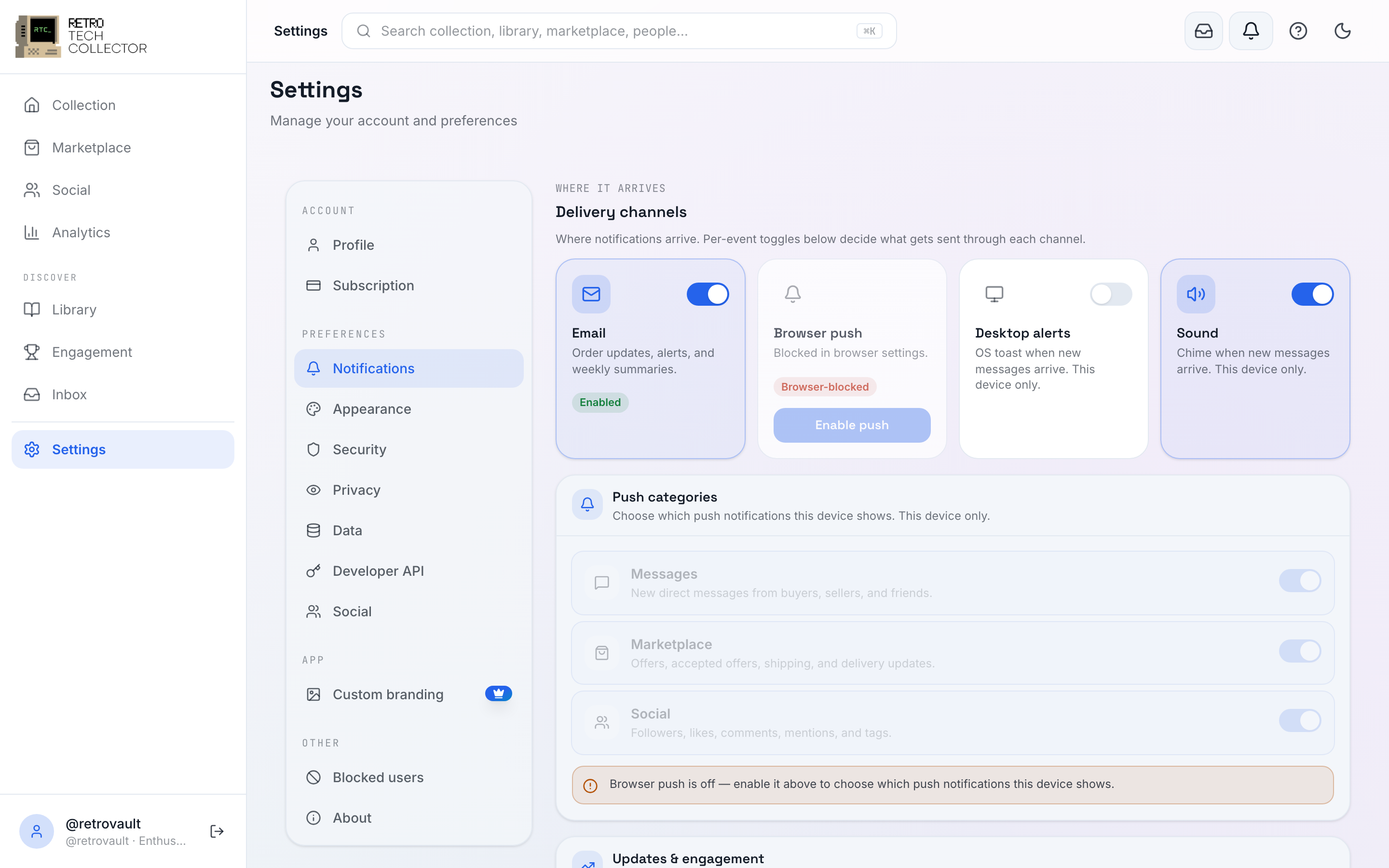
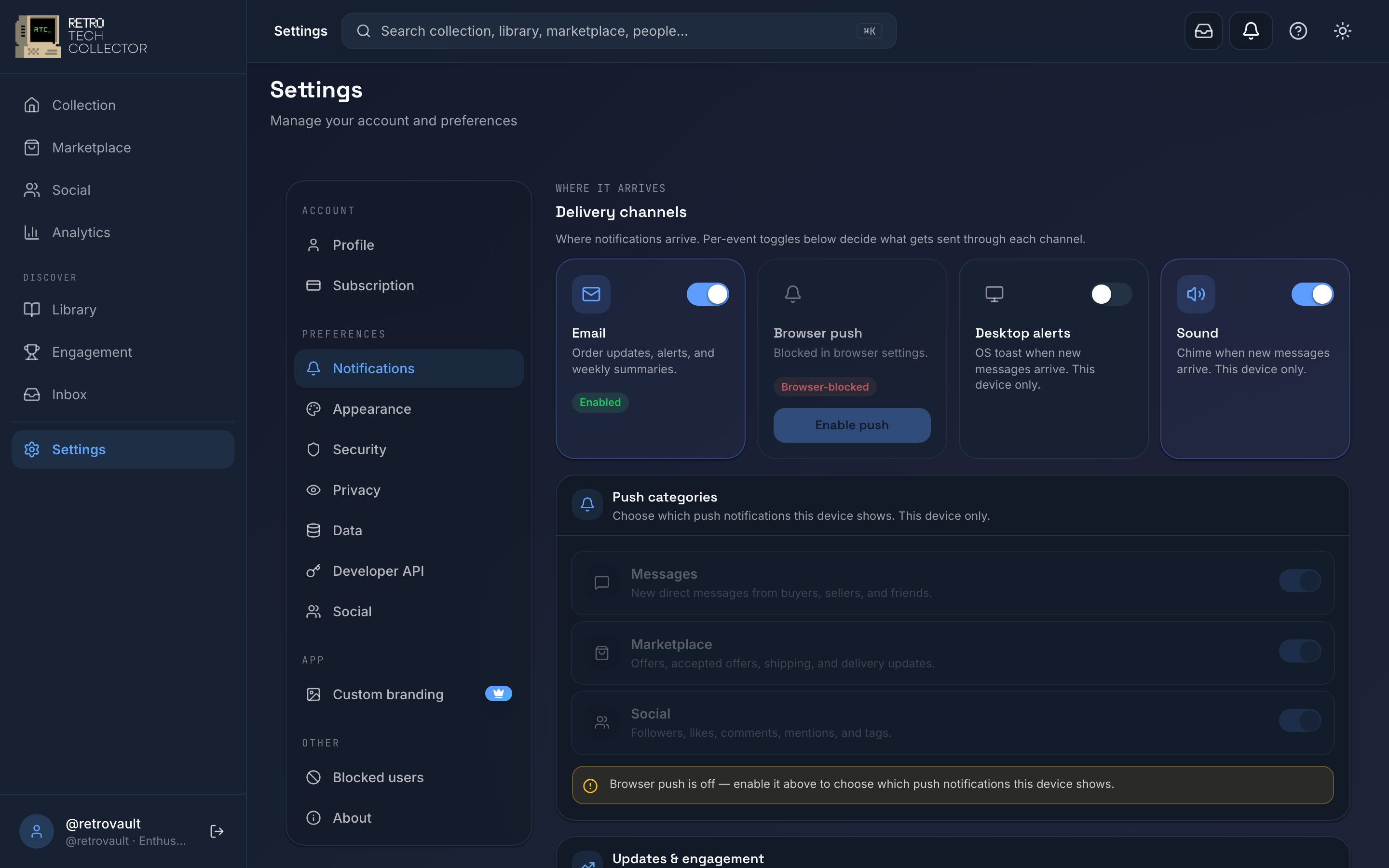
Each category has its own toggles for push and email, so you tune them independently. Categories include marketplace activity (offers, sales, shipping updates), messages, social activity (likes, comments, follows and follow requests), and price-drop and milestone alerts from your collection.
The weekly digest rolls quieter activity into a single email so a busy week doesn't flood your inbox.
Price-drop and milestone alerts are generated from your collection's value tracking and are available on every plan. The fuller Analytics view — value-over-time charts and breakdowns — is a Collector and Enthusiast feature.