Developer / Data API
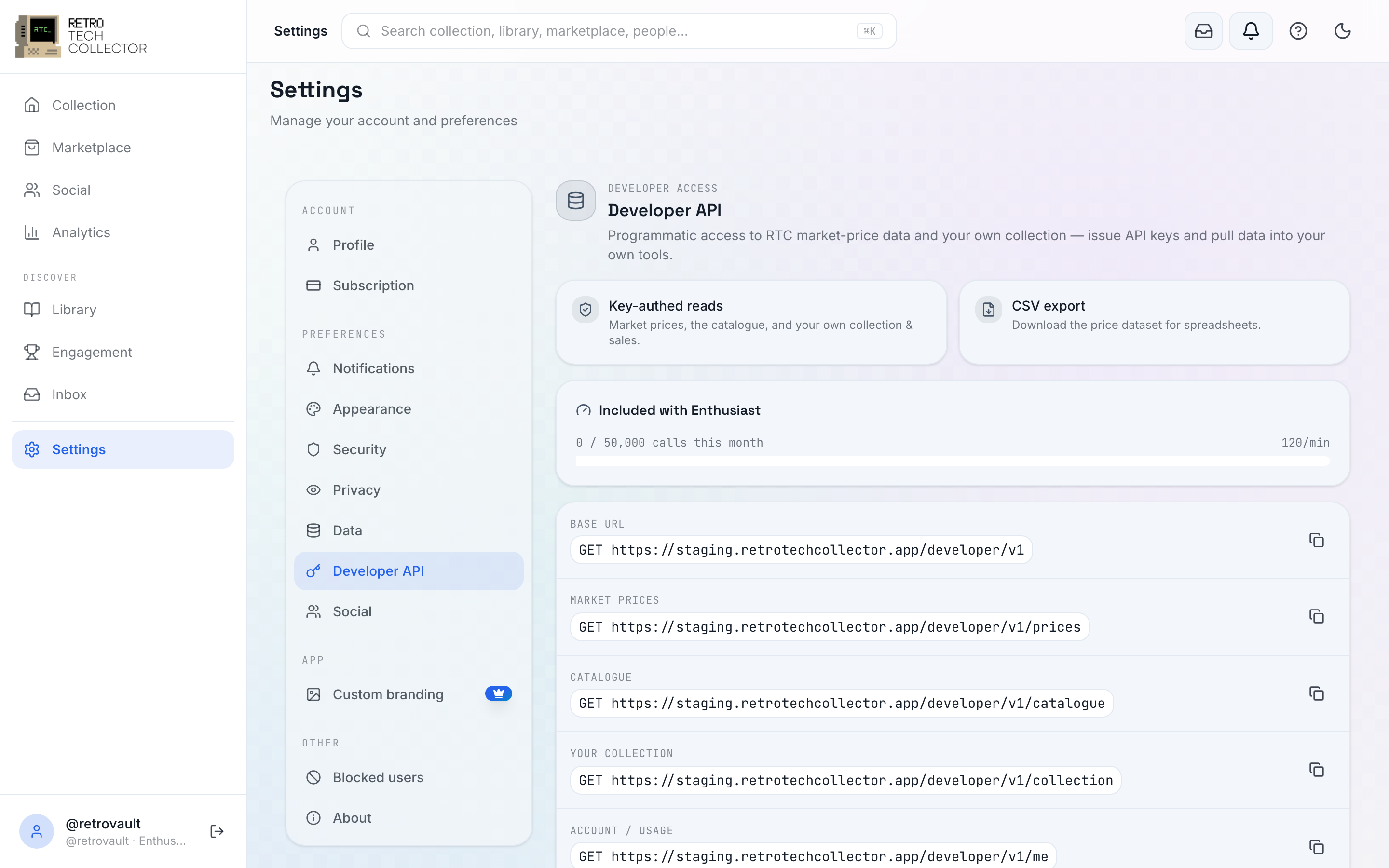
The Data API is a read-only, key-authenticated way to read the RetroTechCollector catalogue and prices, plus your own collection, listings, offers and transactions. It lives at /developer/v1 on api.retrotechcollector.app. Every endpoint is a GET.
Who can use it
Access comes with an active Enthusiast plan (50,000 requests/month), or through a standalone Developer API add-on subscription (10,000 requests/month). Access is re-checked on every request, so a lapsed plan disables live keys straight away.
| Access | Monthly quota | Per-minute burst |
|---|---|---|
| Included with Enthusiast | 50,000 | 120 |
| Developer API add-on | 10,000 | 60 |
See Plans & billing for how to subscribe.
Manage your keys
Create keys, choose their scopes, and watch your usage under Settings → Developer API. A key is shown once at creation, so copy it somewhere safe — you can revoke it and issue a new one at any time.
Keys look like rtc_live_…. Send them as either a Bearer token or an X-API-Key header:
curl https://api.retrotechcollector.app/developer/v1/me \
  -H "Authorization: Bearer rtc_live_your_key_here"
That call returns your plan, scopes and current usage:
{
  "plan": "enthusiast",
  "scopes": ["catalogue:read", "prices:read", "collection:read"],
  "limits": { "monthly": 50000, "perMinute": 120 },
  "usage": { "period": "2026-07", "used": 128, "remaining": 49872 }
}
Scopes
Each key carries a set of scopes, and every endpoint checks for the one it needs. Grant a key only the scopes it actually uses.
| Scope | Grants |
|---|---|
catalogue:read | Public master-item metadata |
prices:read | Market prices for catalogue items |
collection:read | Your own collection and its value |
marketplace:read | Your own listings and offers |
transactions:read | Your own transactions |
export | The bulk CSV price export |
There used to be an anonymous, Turnstile-gated public Library API. It has been removed — browsing the library is now just part of the app. The Data API described here is the supported way to read catalogue and price data programmatically.
Next steps
- API reference — the base URL, auth, every endpoint with request and response examples, rate limits and error responses.
- Plans & billing — subscribe to Enthusiast or the Developer API add-on.