Referrals
Referrals let you invite other collectors to RetroTechCollector and earn rewards when they join through your link. You'll find them in the Engagement Hub.
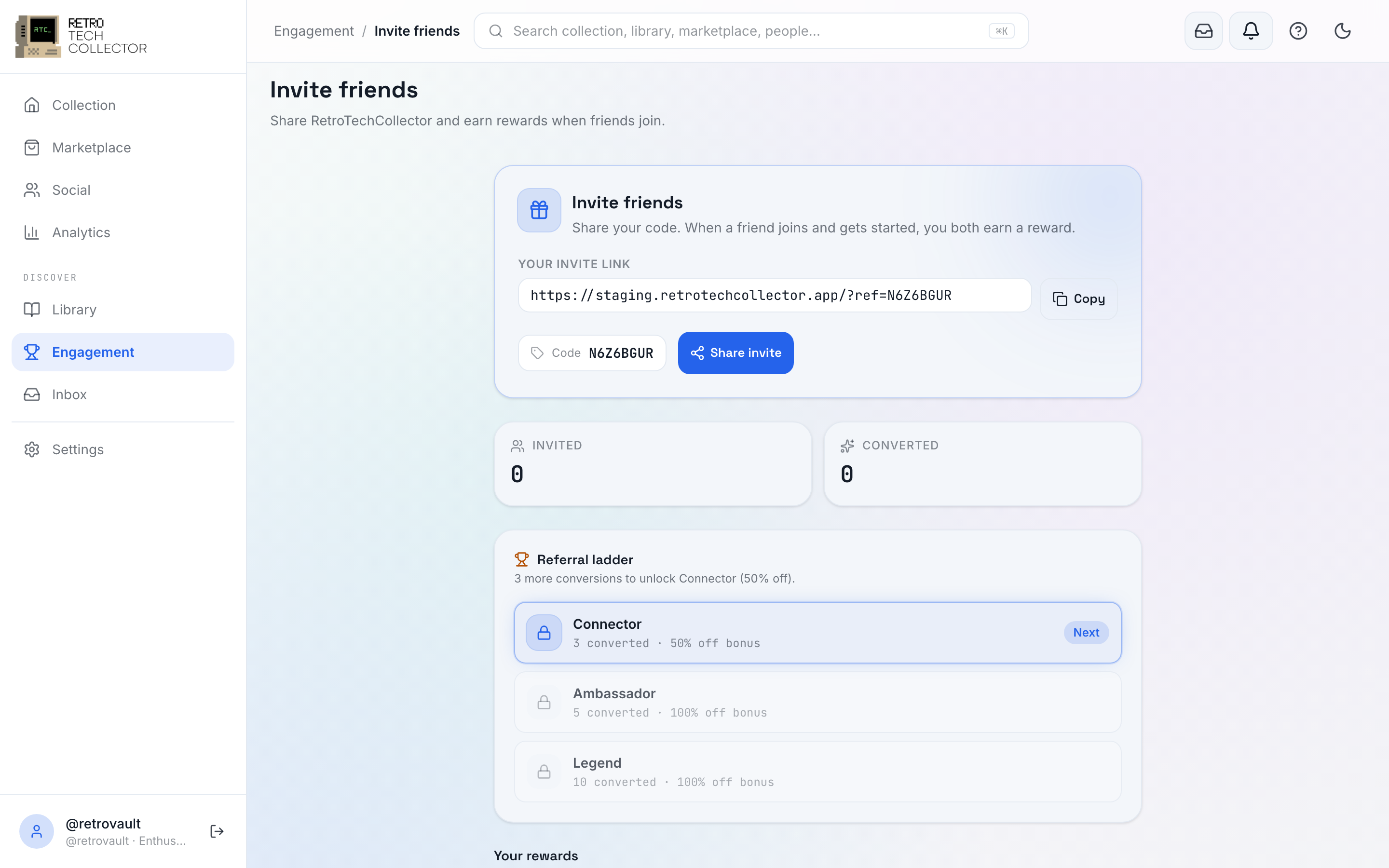

Inviting friends
Each account has its own referral link. To invite someone:
- Open the Engagement Hub and go to Referrals.
- Copy your invite link, or use Share to send it directly.
- Send it to a fellow collector. When they sign up through your link, they're counted as your referral.
The Referrals screen keeps track of who you've invited and which invites have turned into sign-ups.
Earning and redeeming rewards
When a referral joins, you earn a reward. Your earned rewards are shown on the Referrals screen, along with anything still pending while an invite is being completed. Each reward is a discount code — when one is ready, copy it from the Referrals screen and paste it at checkout to apply it to a marketplace purchase.
Sharing your link on your social profile or in the community is an easy way to reach other collectors who'd get the most out of the app.